
Planning and Executing a Successful Hosting Migration
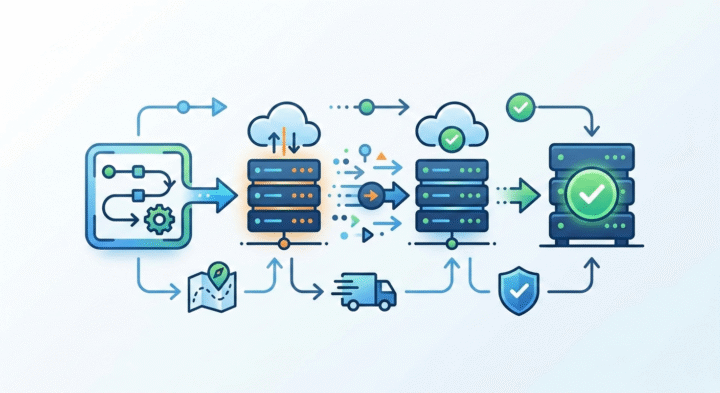
If you're lucky enough to deploy web applications that get used and last a while, you'll inevitably need to perform some kind of hosting migration. I've been party to a lot of these over the years, and I've noticed some things. While the details vary widely based on the application, the stack, the hosting provider, the database system, and the prevailing winds in the industry or the company, success often depends more on the big picture: being prepared and communicating well.
Understand the Stakeholders
Make sure you know who your customers and other stakeholders are, and understand your formal commitments to them (e.g. SLA) as well as their informal expectations. Involve them in the process early (even though you've yet to plan out all the details) so they're never surprised and feel taken care of.
Understand the Systems
The key to a successful hosting migration is to get every detail worked out ahead of time so that the migration itself feels boring, rote, and guaranteed to succeed. The first step is to make sure you understand the systems you're working with.
Since the DevOps revolution, it's more likely that the team performing the hosting migration will be the same team that builds and maintains the app, which could give you a nice head start in terms of understanding the system. Even so, don't skip this step, and be sure to write down the details:
- What are all the pieces of the affected systems (such as load balancers, application / database servers and object storage)?
- Which things are moving, and which are staying put?
- How will we move each thing that is moving, and how will the interactions between these pieces be affected during and after the move?
- How do the applications expect to be configured by their runtime environment (environment variables, configuration files, or cloud metadata services)?
- What external systems does the software interact with, and what are their requirements (things like allowed IP addresses, webhooks expectations, API consumers, and event busses)?
- How might any scheduled or background processing jobs be affected?
This process starts in brainstorming mode, ensuring you've listed out all the pieces that might possibly need attention. Once you've done that, you need to consider each piece of the puzzle carefully: there will likely be some that you truly don't need to worry about, but be careful not to write things off too quickly. Think deeply through every interaction and every potential sticking point.
There will likely be questions you can't answer right away. List them out explicitly and then go through the list one by one finding the answers. This may require asking subject matter experts, reading code, or performing experiments in a controlled environment, but it's worth the investment to get these things nailed down early. The alternative is that you learn 45 minutes into your 1-hour maintenance window that you need to do some extra research to figure out how to get the system back into a healthy state because something went wrong.
Make a Plan
Now that you understand the pieces of the puzzle and how they need to be handled to keep the system healthy, you can start making your plan.
Start by identifying things that can be done ahead of time. Often you can stand up nearly everything in the new environment without interfering with the old environment. If the application requires small changes to e.g. how it reads its configuration in order to seamlessly work in the new environment, you can make those ahead of time in a backwards-compatible way. If DNS hosting needs to be moved, that can be done well in advance. TTLs on DNS records can be reduced ~2 days before the hosting migration to reduce propagation lag.
Write down all the things you want to do before the migration window, and organize them in a rough timeline. Then start adding things that need to happen during the migration. You'll eventually want a super tight timeline for these items, but for now just start noting the dependencies and any questions you have about the best sequence.
Your plan will probably include post-migration items as well, such as cleaning up old hosting resources, removing feature flags, etc. These can be added to their own section of the timeline. This is also a good time to start thinking about and writing out your bail-out plan: if something goes very sideways during the migration window, what will you do? Is there a "point of no return," or certain steps that need to be reversed to light up the old hosting environment again if you have to bail?
Once you've answered any questions that came up during the planning and believe your plan is solid, you can really nail down the details.
Dial in the Details
At this stage, you have a good idea of what you need to do at each step, and you probably have a rough idea of how long each of these steps will take. Now is the time to test your assumptions and get every last detail out of your head and into writing.
Write out the exact command or script or button sequence for each step in your plan, and find a way to actually perform the step as realistically as possible so you're totally confident it'll work. Sometimes this surfaces additional pre-work, like locating additional credentials or figuring out who manages the configuration of some connected service.
Record how much time each step takes when you test it with realistic data, and add those details to the plan so it gives you a nice complete timeline. Take extra care with steps that involve provisioning new resources or copying significant amounts of data. Sometimes one of these things takes much longer than expected and requires a significant revision to the plan. It's no fun when that happens, but it's way more fun when it happens during the lead-up to the hosting migration rather than during your carefully planned maintenance window!
Once you're confident about the timing, schedule a maintenance window. Often we decide to allow an app to go down for up to an hour even if we technically could do a zero-downtime hosting migration, since that zero-downtime option often requires an outsized investment in infrastructure, planning, and engineering. Even if you don't expect downtime, it's best to schedule a maintenance window and communicate very clearly and often about what's happening to make sure nobody's surprised or feels like their needs weren't considered.
Create a meeting invite for yourself, one or two copilots who have relevant context and skills, and everybody else who might conceivably want to know this is happening. Folks in that "FYI" group get marked as optional on the invite, with a clear meeting description explaining what's going on and what their role is. Something like, "If your invite is optional, this is an FYI only. You are 100% welcome to join in and observe, but you are not expected or required to attend this migration. It will mostly be me futzing around in a terminal."
Do the thing
Once you have a maintenance window scheduled, you have a deadline for executing the prep portions of the plan. Get these things knocked out as early as possible to avoid any last-minute shenanigans or tough go / no-go decisions.
When it's time for the hosting migration, the themes are:
- There's no need to stress since you already planned this out carefully
- Go slowly and methodically through the steps, sticking to the script no matter how well you know what needs to happen
- Communicate verbosely
Toward that last point, it's a good idea to start a Slack thread (or equivalent) ~10 minutes before the migration is set to kick off. In that thread, you or a copilot can narrate everything that's happening, including super boring rote stuff like
"Started the DB snapshot. Waiting for that to finish, which we expect to take ~10 minutes" followed by "The DB snapshot has been going for 8 minutes, no errors, seems to be on track to finish soon" as well as potentially more exciting things like "Oops, the script failed b/c the instructions had a typo in the AWS region 🤦 We noticed it after 2 minutes, and it didn't harm anything. Trying again with the correct region us-west-2."
This keeps stakeholders apprised of what's going on as well as creating a durable record of what happened. Whether that becomes an example of a flawless migration or fodder for a tense postmortem depends on the thoroughness of your planning.
Follow-ups
After the migration is complete, you can schedule and complete your follow-up tasks, like shutting down old infrastructure, bumping DNS TTLs back up, etc.
It's also a good idea to take the opportunity to think back over how things went and make appropriate adjustments to your documentation or process to make things even smoother for the next hosting migration.